
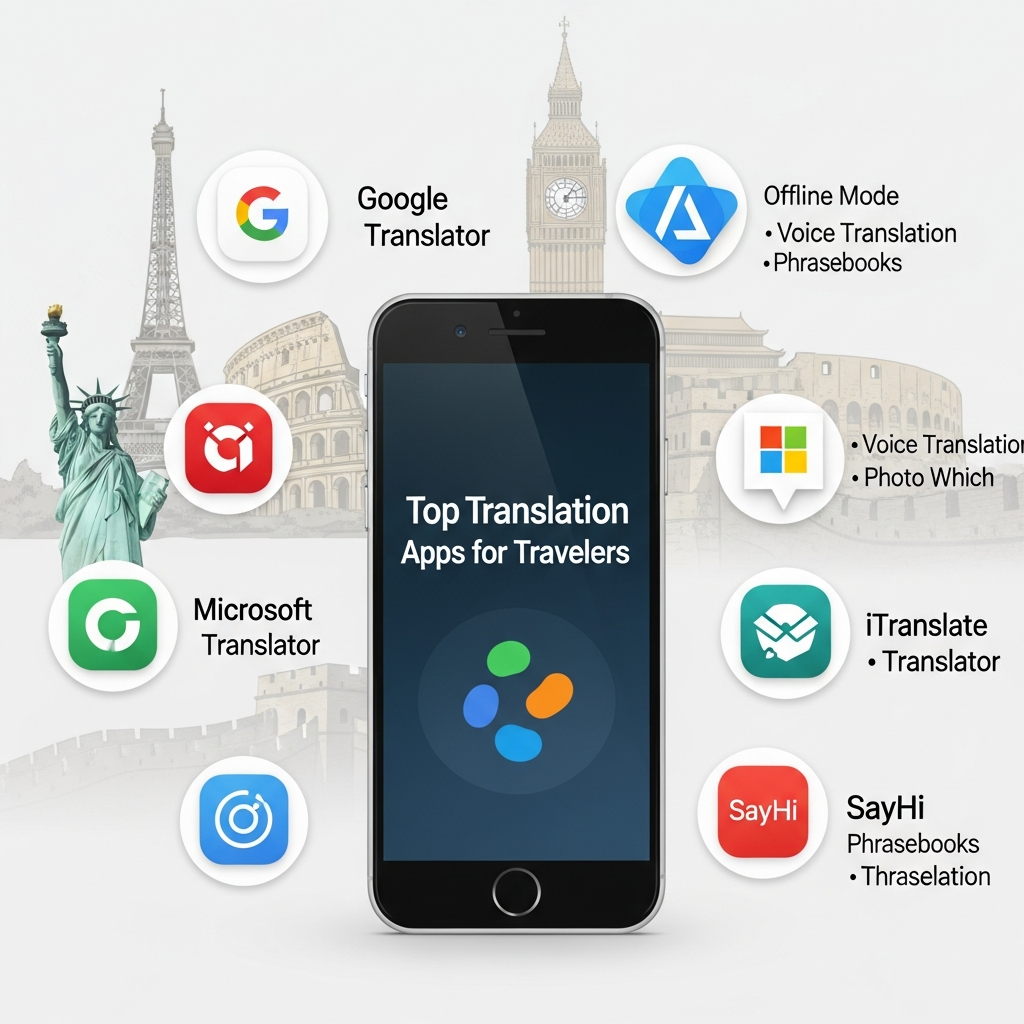

Picture this: You’re standing in a bustling Tokyo train station, desperately trying to find the right platform, but every sign is in Japanese. Or you’re at a charming family-run restaurant in rural Italy where no one speaks English, and you can’t decipher the handwritten menu. Sound familiar?
Language barriers can transform exciting travel moments into stressful challenges. Missing trains, ordering the wrong food, or struggling to communicate during emergencies shouldn’t be part of your adventure. The solution? Translation apps for travelers have evolved into powerful communication tools that fit right in your pocket.
In this comprehensive guide, we’ll explore the best translation apps for international travel that actually work offline, translate conversations in real-time, and even interpret images and signs instantly. Whether you’re backpacking through Southeast Asia or navigating European business meetings, these apps will help you communicate confidently anywhere in the world.
Why Every Traveler Needs a Translation App in 2025
The world is more connected than ever, yet language remains one of the biggest travel obstacles. While learning basic phrases is helpful, translation apps provide instant access to thousands of languages and dialects that would take years to master.
Modern translation technology has advanced far beyond clunky phrase books. Today’s apps use artificial intelligence and neural machine translation to provide context-aware translations that sound natural, not robotic. Many apps work completely offline—essential when you’re exploring remote areas without reliable internet.
These apps do more than translate words. They help you read street signs, order authentic local cuisine, negotiate prices at markets, handle medical emergencies, and connect with people in meaningful ways that enrich your entire travel experience.
Essential Features in Travel Translation Apps
Not all translation apps are created equal. Here’s what separates exceptional travel apps from basic translators:
- Offline Functionality: Download language packs for use without internet connection
- Camera Translation: Point your phone at signs, menus, or documents for instant translation
- Conversation Mode: Real-time two-way translation for face-to-face communication
- Voice Translation: Speak naturally and hear translations in the target language
- Language Coverage: Wide selection of languages including regional dialects
- Accuracy: Neural networks trained on billions of real-world translations
- Speed: Instant translations without frustrating delays
- User Interface: Intuitive design that works when you’re stressed or rushed
Google Translate: The All-Purpose Travel Companion
Google Translate remains the most versatile and widely-used translation app for travelers worldwide. Supporting over 130 languages, this free app combines powerful features with an interface anyone can master in minutes.
Best for: General travelers visiting multiple countries who need reliable, multi-feature translation.
Key Features That Make Google Translate Essential
Offline Translation allows you to download entire language packs before your trip. Once downloaded, you can translate text, use the camera feature, and access the phrasebook without any internet connection. This proves invaluable in remote areas, on flights, or when avoiding expensive roaming charges.
Camera Translation lets you point your phone at foreign text—restaurant menus, street signs, museum plaques, product labels—and see instant translations overlaid on your screen. The app preserves the original formatting and even matches fonts, making comprehension effortless.
Conversation Mode enables natural two-way discussions. Simply tap the microphone, speak in your language, and the app automatically detects languages and translates both sides of the conversation. It’s like having an interpreter in your pocket.
Handwriting Recognition helps when you encounter unfamiliar alphabets. Draw characters with your finger, and Google Translate identifies and translates them—perfect for Chinese, Japanese, Arabic, and other non-Latin scripts.
Target Audience: Global travelers of all experience levels.
Pricing: Completely free with no hidden costs or subscriptions.
Pro Tip: Download language packs for all countries on your itinerary before departure. Each language pack is 30-50MB—easily manageable on modern phones.
iTranslate: Premium Features for Serious Travelers
iTranslate positions itself as the premium alternative to Google Translate, offering a polished interface and advanced features that frequent travelers appreciate. While basic translation is free, the Pro version unlocks capabilities that justify the investment.
Best for: Business travelers and frequent international visitors who need professional-quality translations.
Why iTranslate Stands Out
The Lens feature translates text in images and photos with exceptional accuracy. Unlike competitors, iTranslate preserves complex formatting in documents and can handle low-quality or handwritten text effectively.
Offline Mode Pro provides full-featured offline access including voice translation and conversation mode—not just basic text translation like some competitors. This comprehensive offline capability provides peace of mind in any situation.
Voice Conversation Translation supports natural conversations in over 100 languages with clear, natural-sounding voices. The app detects which language is being spoken automatically, eliminating the need to manually switch between languages.
Website Translation built into the app lets you browse foreign websites in your language without switching apps—incredibly useful for booking local tours, reading reviews, or researching destinations.
Target Audience: Professionals, frequent travelers, and those visiting countries with complex scripts.
Pricing: Free basic version; Pro subscription starts at $4.99/month or $39.99/year.
Microsoft Translator: The Business Traveler’s Choice
Microsoft Translator excels in professional environments while maintaining excellent features for leisure travel. Its standout multi-person conversation feature makes group translation seamless and natural.
Best for: Business travelers, group tours, and conference attendees.
Microsoft Translator’s Unique Advantages
Multi-Device Conversation allows up to 100 people to join a single translated conversation using their own devices. Everyone sees translations in their preferred language in real-time—revolutionary for international business meetings, group tours, or family gatherings with multilingual attendees.
Phrasebooks organized by travel scenarios (dining, directions, emergencies, accommodations) provide quick access to essential phrases. You can create custom phrasebooks for your specific needs and share them across devices.
Offline Translation in over 60 languages includes full conversation and camera features without internet. Language packs download quickly and update automatically when connected to WiFi.
Split-Screen Mode on tablets displays both languages simultaneously—perfect for restaurant negotiations, rental agreements, or any situation requiring careful review of translations.
Target Audience: Business travelers, educators, conference participants, and organized tour groups.
Pricing: Completely free with no advertisements or premium tiers.
SayHi: Conversation-Focused Simplicity
SayHi Translate strips away complexity to focus exclusively on what travelers need most: simple, fast, spoken conversations. The minimalist interface makes it the easiest translation app to use under pressure.
Best for: Travelers who primarily need voice translation for face-to-face communication.
What Makes SayHi Different
The two-button interface couldn’t be simpler. Tap your language, speak, and instantly hear the translation. Tap the other language for the response. No menus, no settings to configure—just immediate communication.
Automatic language detection means you don’t need to manually select languages during conversation. SayHi identifies what’s being spoken and translates accordingly, maintaining natural conversation flow.
Speed controls let you adjust how quickly translations are spoken—helpful when communicating with elderly people, children, or in noisy environments where clarity matters more than speed.
Dialect options for major languages ensure you’re using the right variation. Choose between Castilian and Latin American Spanish, European and Brazilian Portuguese, or Mandarin and Cantonese Chinese.
Target Audience: Casual travelers, seniors, and anyone who finds complex apps overwhelming.
Pricing: Free with occasional ads; ad-free version is a one-time $5.99 purchase.
Papago: Superior Asian Language Translation
Developed by Naver, South Korea’s leading search engine, Papago provides unmatched accuracy for East Asian languages including Korean, Japanese, Chinese, Vietnamese, and Thai. If Asia is your destination, Papago should be your first choice.
Best for: Travelers to East and Southeast Asia.
Papago’s Asian Language Excellence
Cultural Context sets Papago apart from Western-developed apps. It understands honorifics, formal versus casual speech, and cultural nuances that other translators miss. This produces translations that sound natural to native speakers, not awkward or potentially offensive.
Image Translation works exceptionally well with Asian characters, including handwritten text, stylized fonts, and vertical text orientation common in Chinese and Japanese. The app handles complex menus and signs that confuse other translators.
Offline Mode covers all major Asian languages with full functionality. Download language packs before traveling to rural areas where internet access may be limited.
Conversation Translation maintains context throughout extended discussions—important in Asian cultures where communication style relies heavily on context and relationship dynamics.
Target Audience: Travelers to Japan, South Korea, China, Vietnam, Thailand, and Indonesia.
Pricing: Completely free with optional premium features.
Languages Supported: 13 languages with focus on Asian languages.
Reverso: Context-Driven Translation Accuracy
Reverso approaches translation differently than competitors. Instead of translating words individually, it provides contextual examples showing how phrases are used in real situations—novels, films, technical documents, and daily conversation.
Best for: Language learners and travelers who want to understand nuance, not just literal translations.
Why Reverso Excels at Nuanced Communication
Context Examples show each translation used in multiple real-world sentences. This helps you understand connotations, formality levels, and situational appropriateness—crucial for avoiding embarrassing mistakes.
Conjugation Tools for 15 languages help you properly adjust verbs for different tenses, persons, and moods. This feature transforms basic translation into language learning.
Pronunciation Guides with audio from native speakers ensure you’re not just reading translations but speaking them correctly. Regional accent options help you match local pronunciation.
Synonyms and Definitions provide alternatives when the literal translation doesn’t quite fit your meaning. This depth makes Reverso feel more like a language tutor than a simple translator.
Target Audience: Language students, business professionals, and culturally-conscious travelers.
Pricing: Free basic version; Premium is $4.99/month or $39.99/year.
Languages Supported: 18 languages including less common options like Arabic, Hebrew, and Romanian.
How to Choose the Right Translation App for Your Trip
Selecting the perfect app depends on your specific travel style and destination:
For Multi-Country Tours: Google Translate’s extensive language coverage and reliable offline mode make it the clear choice.
For Business Travel: Microsoft Translator’s multi-device conversations and professional interface suit business environments perfectly.
For Asian Destinations: Papago’s cultural awareness and superior Asian language handling outperform general-purpose apps.
For Simplicity: SayHi’s streamlined conversation focus eliminates unnecessary complexity.
For Learning While Traveling: Reverso’s contextual examples help you actually improve language skills.
Budget Consideration: Google Translate, Microsoft Translator, and Papago offer professional-grade features completely free.
Essential Tips for Using Translation Apps Effectively
Maximize your translation app success with these practical strategies:
- Download Everything Before Departure: Install apps and language packs while on home WiFi to avoid connectivity issues abroad.
- Test Offline Functionality: Activate airplane mode and verify all features work without internet before your trip.
- Learn Basic Gestures: Combine apps with simple hand signals and facial expressions for clearer communication.
- Speak Clearly and Simply: Use short sentences without slang, idioms, or complex grammar for more accurate translations.
- Verify Critical Information: For medical issues, legal matters, or important reservations, have someone bilingual verify translations when possible.
- Save Important Phrases: Create favorites or phrasebooks for commonly-needed expressions like dietary restrictions or medical conditions.
- Respect Local Culture: Translation apps help communicate, but learning basic pleasantries in the local language shows respect.
- Keep Your Phone Charged: Carry a portable battery pack—translation apps drain batteries faster than typical use.
- Screenshot Important Translations: Save hotel addresses, emergency phrases, and allergy warnings as images for quick access.
- Combine Multiple Apps: Use Google Translate for general needs and specialized apps like Papago for specific regions.
Conclusion
The best translation apps for travelers have transformed international travel from intimidating to accessible. Whether you choose Google Translate’s versatility, Microsoft Translator’s business features, Papago’s Asian language expertise, or any other app from this list, you’re equipping yourself with a powerful communication tool.
Language barriers no longer need to limit where you travel or how deeply you connect with local culture. With the right translation app downloaded and configured before departure, you can navigate foreign cities confidently, order authentic cuisine fearlessly, and build meaningful connections with people across language divides.
Your next adventure awaits—download your translation apps today, load those offline language packs, and prepare to explore the world with newfound confidence. The ability to communicate anywhere, with anyone, is quite literally at your fingertips.
Frequently Asked Questions
Do translation apps work without internet?
Yes, most major translation apps including Google Translate, Microsoft Translator, and iTranslate offer offline functionality. You must download language packs while connected to WiFi before your trip. Offline modes typically include text translation, camera translation, and saved phrases, though some advanced features like real-time conversation may have limited functionality without internet.
Which translation app is most accurate?
Google Translate generally offers the best accuracy across the widest range of languages, thanks to Google’s neural machine translation technology trained on billions of real-world examples. However, specialized apps outperform in specific contexts—Papago excels for Asian languages, while Reverso provides superior contextual accuracy for European languages. For critical translations, cross-reference multiple apps.
Can translation apps translate signs and menus?
Absolutely. Camera translation (also called visual translation) is a standard feature in Google Translate, iTranslate, Microsoft Translator, and Papago. Simply point your phone’s camera at any text—street signs, restaurant menus, product labels, museum displays—and the app overlays translations on your screen in real-time. This feature works offline if you’ve downloaded the appropriate language packs.
Are free translation apps good enough for travel?
Yes, free apps like Google Translate, Microsoft Translator, and Papago provide professional-quality features sufficient for most travel needs. They offer offline translation, camera features, and conversation modes without requiring subscriptions. Premium apps like iTranslate Pro offer enhanced accuracy and additional features, but free options handle typical travel situations excellently. Start with free apps and upgrade only if you need specialized features.