
Malware infections are more common than most people realize. Every day, thousands of computers and mobile devices become infected with viruses, trojans, ransomware, and other malicious software that can steal personal information, damage files, or hold your data hostage. The good news? You don’t need to spend money on expensive security software to protect yourself.
Free malware scanning tools have evolved significantly in recent years. Many of them now offer enterprise-grade protection that rivals paid antivirus solutions. Whether you’re dealing with a suspected infection or simply want to perform routine security checks, the right free scanner can detect and remove threats before they cause serious damage.
This guide covers the most effective free malware scanning tools available today, how to use them properly, and what makes each one stand out. You’ll learn which tools work best for different situations and how to create a solid defense against digital threats without breaking your budget.
Why You Need Multiple Malware Scanning Tools
No single antivirus program catches everything. Malware detection rates vary significantly between different security tools, and new threats emerge constantly. Using multiple scanners gives you layered protection and increases your chances of catching sophisticated malware that might slip past one program.
Think of it like getting a second medical opinion. Your primary antivirus might miss something that another scanner catches. This is especially important when dealing with:
- Zero-day threats that are too new for signature databases
- Rootkits that hide deep in your system
- Fileless malware that operates in memory
- Potentially unwanted programs (PUPs) that aren’t technically viruses
The tools in this guide complement each other perfectly. Some excel at on-demand scanning, while others specialize in detecting specific threat types.
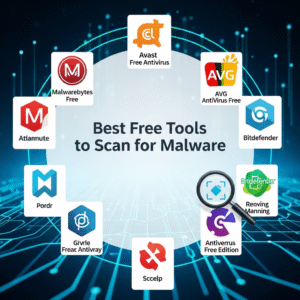
Top Free Malware Scanning Tools
Malwarebytes Free
Malwarebytes has built a reputation as one of the most effective anti-malware tools available. The free version provides powerful on-demand scanning without the real-time protection features reserved for premium subscribers.
What makes Malwarebytes exceptional:
- Industry-leading detection rates for trojans, rootkits, and ransomware
- Clean, user-friendly interface suitable for beginners
- Quick scan completes in under 5 minutes on most systems
- Removes adware and potentially unwanted programs aggressively
- Regular database updates ensure protection against new threats
Best use case: Run weekly scans as a second opinion alongside your primary antivirus software.
Windows Defender (Microsoft Defender)
Built directly into Windows 10 and 11, Windows Defender has transformed from a basic tool into a comprehensive security solution. Independent testing labs consistently rank it among the top antivirus programs.
Key advantages:
- Zero performance impact since it’s optimized for Windows
- Automatic updates through Windows Update
- Cloud-based protection analyzes threats in real-time
- Ransomware protection with controlled folder access
- Integration with Microsoft Edge for safer browsing
Best use case: Use as your primary, always-on antivirus solution for Windows computers.
Kaspersky Security Cloud Free
Kaspersky offers one of the most generous free antivirus programs available. Despite being completely free, it includes features that many paid competitors don’t offer.
Notable features:
- Advanced heuristic analysis detects unknown threats
- File, email, and web anti-virus protection
- Privacy protection alerts you to dangerous websites
- Includes a basic VPN with 200MB daily limit
- Automatic updates and cloud-based threat intelligence
Best use case: Excellent primary antivirus for users who want robust protection without paying.
Bitdefender Antivirus Free Edition
Bitdefender consistently scores perfect or near-perfect marks in independent lab tests. Their free edition delivers the same powerful scanning engine as their paid products.
Standout qualities:
- Minimal system resource usage
- Simple set-it-and-forget-it interface
- Behavioral detection catches suspicious activity
- Anti-phishing protection for safer browsing
- Autopilot mode handles security decisions automatically
Best use case: Perfect for less tech-savvy users who want strong protection with minimal configuration.
AdwCleaner by Malwarebytes
This specialized tool focuses exclusively on adware, browser hijackers, and potentially unwanted programs. AdwCleaner is completely free with no premium version upsells.
Why it’s essential:
- Removes stubborn browser toolbars and extensions
- Resets browser settings hijacked by malware
- Cleans registry entries left by uninstalled programs
- Extremely fast scanning (typically under 2 minutes)
- Portable version requires no installation
Best use case: Use when browsers behave strangely or show unexpected ads and pop-ups.
Avast Free Antivirus
Avast protects over 400 million users worldwide. Their free version includes surprisingly comprehensive features for zero cost.
Key features:
- Real-time malware protection
- Wi-Fi security scanner detects network vulnerabilities
- Passive mode works alongside other antivirus software
- CyberCapture technology analyzes suspicious files in the cloud
- Software updater identifies outdated programs
Best use case: Good all-around option for users who want multiple security features in one package.
How to Use Free Malware Scanners Effectively
Simply installing security software isn’t enough. Follow these best practices to maximize your protection:
Create a scanning schedule. Run your primary antivirus scanner daily or weekly. Perform monthly scans with secondary tools like Malwarebytes for deeper analysis.
Keep everything updated. Malware definitions need frequent updates to recognize new threats. Enable automatic updates on all security tools.
Use Safe Mode for stubborn infections. If you suspect malware is blocking your scanners, restart your computer in Safe Mode. This prevents most malware from loading, making it easier to remove.
Scan external devices. USB drives, external hard drives, and memory cards can carry infections between computers. Scan them before opening any files.
Don’t run multiple real-time scanners. While using several on-demand scanners is smart, running multiple programs with real-time protection causes conflicts and slows your computer significantly.
Red Flags That Indicate Malware Infection
Watch for these warning signs that suggest your device might be infected:
- Computer runs significantly slower than usual
- Browser homepage changes without your permission
- New toolbars or extensions appear unexpectedly
- Pop-up ads appear even when browsers are closed
- Programs crash frequently or won’t open
- Unusual network activity when you’re not using the internet
- Antivirus software becomes disabled or won’t update
- Friends receive spam emails from your account
If you notice any of these symptoms, run a full system scan immediately with multiple tools.
Beyond Scanning: Prevention Strategies
The best malware protection is avoiding infections in the first place. Implement these habits:
Keep your operating system updated. Security patches fix vulnerabilities that malware exploits. Enable automatic updates for Windows, macOS, or Linux.
Be suspicious of email attachments. Even messages from known contacts can contain malware if their account was compromised. Verify unexpected attachments before opening them.
Download software from official sources only. Third-party download sites often bundle malware with legitimate programs. Go directly to the developer’s website.
Use a standard user account for daily tasks. Administrator accounts give malware more power to damage your system. Create a standard account for regular use.
Enable your firewall. Windows and macOS include built-in firewalls that block unauthorized network connections. Make sure yours is active.
Conclusion
Free malware scanning tools have reached impressive levels of sophistication and effectiveness. You don’t need to spend money to protect your digital life—tools like Windows Defender, Malwarebytes Free, and Kaspersky Security Cloud Free provide robust security without costing a penny.
The key to staying safe is using a layered approach. Combine a reliable real-time antivirus program with periodic scans from specialized tools. Stay vigilant about suspicious emails and downloads, keep your software updated, and run regular security checks.
Start by choosing one primary antivirus from this list, then bookmark a secondary scanner like Malwarebytes or AdwCleaner for monthly deep scans. Taking these simple steps dramatically reduces your risk of malware infections and keeps your personal information secure.
Frequently Asked Questions
Is free antivirus really as good as paid versions?
Yes, for most users. Free antivirus tools like Windows Defender and Kaspersky Free use the same detection engines as paid products. Paid versions typically add features like VPNs, password managers, and priority support rather than better malware detection. Unless you need those extra features, free tools provide excellent protection.
How often should I run malware scans?
Run your primary antivirus scanner at least once per week. Perform deeper scans with tools like Malwarebytes monthly, or immediately if you notice suspicious behavior. Real-time protection should run continuously in the background for the best security.
Can I use multiple antivirus programs at the same time?
You can use multiple on-demand scanners, but only run one real-time antivirus program at a time. Running two real-time scanners causes system conflicts, false positives, and performance problems. Tools like Malwarebytes Free work perfectly as secondary, on-demand scanners alongside Windows Defender or other primary antivirus software.
What should I do if a scan finds malware?
Follow the scanner’s recommended action, which is usually quarantine or delete. After removing threats, restart your computer and run a second scan with a different tool to confirm the malware is gone. Change passwords for important accounts, especially banking and email, since some malware steals login credentials.